
How to Close a FanDuel Account: Sportsbook, DFS, and Predicts
FanDuel started as a daily fantasy sports company, but it’s now the largest mobile sportsbook in the U.S. and has expanded into a third product line: FanDuel Predicts, a CFTC-regulated prediction markets platform built in partnership with CME Group. Depending on which of these you’ve signed up for, closing your relationship with FanDuel can mean one request or two. Here’s what the process looks like right now, and what to check before you start.
Before You Close Anything: Three Things to Handle First
Whichever account you’re closing, take care of these first:
- Withdraw your full balance from each product separately. FanDuel Sportsbook and FanDuel DFS keep separate balances even though they share one login, so check both before requesting closure. Funds are typically locked once closure begins, and FanDuel does not process withdrawals from a closing or closed account.
- Let open bets, contests, and trades resolve, or cancel them where possible. Live sportsbook wagers, active DFS lineups, and open Predicts positions should be settled first. Closing with unresolved activity risks forfeiting potential winnings.
- Watch for bonus wagering requirements. If you withdraw funds tied to an incomplete bonus before it’s been fully wagered, you may lose the bonus cash. Worth checking your active promotions before you pull the trigger.

Closing Your FanDuel Sportsbook and DFS Account
Sportsbook, Casino, and DFS all run on the same unified FanDuel login, so a single closure request shuts down access to all of them together.
On the app or mobile web:
- Log in to your FanDuel account.
- Tap Account in the bottom right of the app.
- Go to Account Overview, then Settings.
- Select Account Controls and Closure.
- Choose Deactivate to fully close your account.
- Select a reason for closing and submit the request.
On desktop:
- Log in at fanduel.com.
- Click Account in the top right corner.
- Go to Account Settings, then Close Account.
- Select your reason for closing and confirm.
If you can’t access your account or the self-service flow isn’t available, contact FanDuel support directly: email support@fanduel.com with the subject line “Request to Close My Account,” use the live chat bubble in the app or on the support site, or submit a request through the contact form at support.fanduel.com/s/contactsupport. FanDuel’s official phone support line is 609-224-1019.
A few important details based on FanDuel’s current process:
- There’s no published fixed timeline, but closure is generally reported to take a few hours to several business days to confirm, with the underlying account often landing in a canceled, rather than permanently deleted, state.
- Closure isn’t necessarily permanent on its own. To reactivate, you contact FanDuel customer support through the chat bubble on the support site. FanDuel does not appear to offer a fully self-service path to permanent deletion; reopening or further requests run through a support agent either way.
- You can’t open a second FanDuel account, even if your original one is closed or inactive, so closing isn’t a way to “reset” and start over with a new signup bonus.
- If your goal is to stop gambling rather than simply leave the platform, FanDuel’s responsible gaming tools are a better fit than full closure: deposit, wager, and time limits; a Timeout for a short break; or Self-Exclusion, which locks your account for a set period (commonly one to five years) and is not reversible during that window. These live under Account → Settings → Responsible Gaming. For a complete break from all licensed operators in your state, search your state’s official gambling self-exclusion program, and the National Council on Problem Gambling helpline (1-800-522-4700, 24/7) can point you toward both options.
Closing a FanDuel Predicts Account
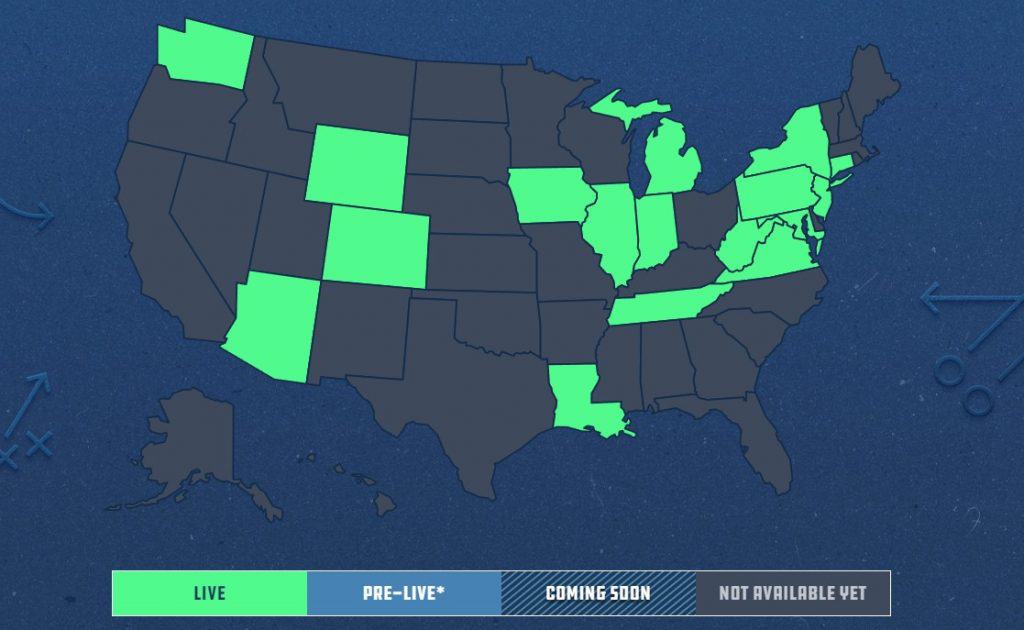
FanDuel Predicts is a meaningfully different product from a regulatory standpoint. Launched in December 2025, it’s run by FanDuel Prediction Markets LLC, a joint venture between FanDuel Group and CME Group. The entity is registered as a futures commission merchant and is a member of the National Futures Association, putting it under CFTC oversight rather than state gaming regulation. You can log in to Predicts with your existing FanDuel username and password, but your Predicts account, positions, and balance sit on separate regulatory footing from your Sportsbook or DFS wallet.
Because Predicts involves trading actual derivatives contracts rather than placing wagers, treat closing it more like closing a brokerage account:
- Close out open positions first. Use the cash-out function on the My Orders page to sell positions where available, or let contracts run to settlement, before requesting account closure. As with most regulated trading accounts, you generally can’t close the account while it’s carrying open positions.
- Withdraw your cash balance. Any promotional Predicts bonus funds are typically non-withdrawable and expire within days of being credited, so don’t expect to cash those out; only your real funds and settled trade proceeds are withdrawable.
- Contact FanDuel support to request closure, through the in-app chat, support@fanduel.com, or the contact form, and specify that you want to close your Predicts/Prediction Markets account specifically. Because Predicts is a separate regulated entity from the Sportsbook, a general “close my account” request may not automatically extend to it; the FanDuel Help Center’s Predicts section is the most reliable place to confirm the current steps.
A Quick Note on Accuracy
FanDuel Predicts is a newly launched product still expanding state by state, and FanDuel periodically updates its account settings, menus, and support workflows for all three products. If what you see in the app doesn’t match the steps above, the FanDuel Support site (support.fanduel.com) or in-app live chat is the most current source, and it’s worth checking there first, especially for anything specific to Predicts.
Bottom Line
If you only use FanDuel for sports betting or daily fantasy, one closure request through Account Settings handles both, since they share a login and a closure flow. If you’ve also signed up for FanDuel Predicts, treat that as a second, separate closure: cash out or settle your positions, withdraw your funds, and explicitly ask support to close the Predicts account too. In every case, the same rule applies: withdraw your money and resolve open activity first, because once closure starts, your access goes with it.
